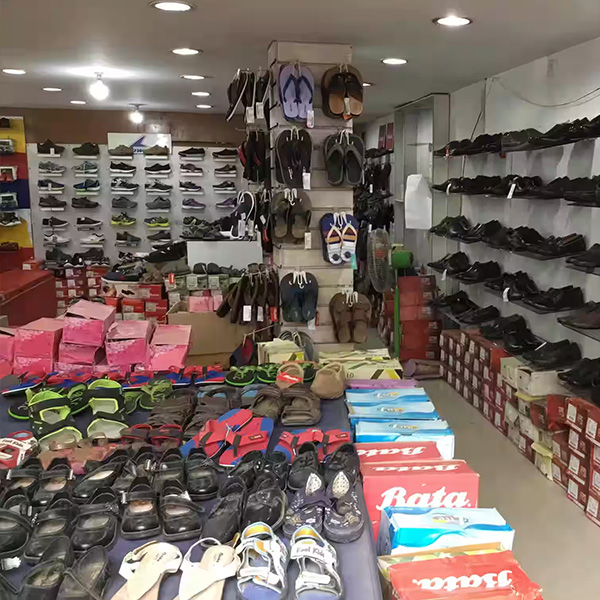
Variants, brands and models
Organise related items by size, colour, style, brand or model while keeping each sellable option clear at checkout.
Learn moreFashion stock is not one simple quantity. The same design may have several sizes, colours and selling prices. FortyPOS helps boutiques keep those options organised, sell faster and understand which styles are moving before cash is tied up in slow stock.
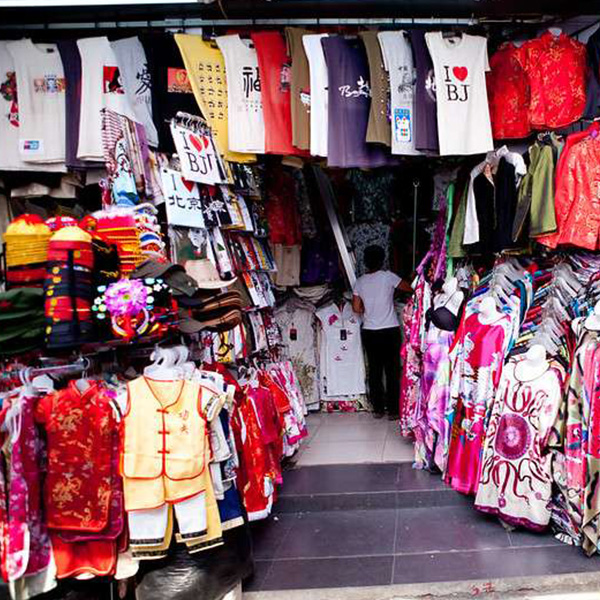
One commercial record
Sales, stock, customers, staff and reports connected.
The platform is configured around the products, services, units, prices, users and reports this business actually needs.
Organise related items by size, colour, style, brand or model while keeping each sellable option clear at checkout.
Learn moreStock moves with purchases, sales, returns and adjustments so the owner can review quantities and stock history.
Learn moreSearch or scan items, choose a payment method, complete the sale and issue a digital, A4 or thermal receipt.
Learn moreKeep customer contacts, sales, payments, balances and statements connected to one account.
Learn moreKeep stock, users and reporting organised across eligible branches and warehouses from one account.
Learn moreReview daily sales, product performance, stock, purchases, expenses, balances, profit and end-of-day reports.
Learn moreKeep the process simple for staff while maintaining enough detail for the owner and manager.
Group clothing by category, style, size, colour, brand and price.
Record purchase stock so each sellable variant has a clear quantity.
Select or scan the size and colour purchased and issue the customer receipt.
Compare products and variants to see what should be reordered, discounted or moved.
A useful trial should reproduce a real day in the business, not a demonstration catalogue that hides the difficult parts.
List the product categories and the exact size, colour, brand, model or style options that must remain separate in stock.
Use a recent stock count and current supplier balances. Avoid importing estimated quantities that will immediately weaken the reports.
Prepare the customer accounts that need sale history, deposits, credit balances or statements.
Create separate staff users, assign only the required permissions and agree on the reports used to close or hand over each day.
FortyPOS manages sales, variants, customers, inventory and reports. It is not an e-commerce storefront or fashion design system unless separately integrated.
Yes. Product variants can represent combinations such as size, colour or style so each option is sold and counted correctly.
Yes, each sellable product or variant can use its configured barcode for faster lookup.
Yes, eligible packages support multiple branches with branch-level stock and reporting.
Product performance and sales reports help compare what is selling over a selected period.
Yes. Sales can be connected to customer accounts for history, balances and follow-up.
Use the trial to confirm that the selling units, pricing, stock and reporting workflow fit your operation before subscribing.