Variants, brands and models
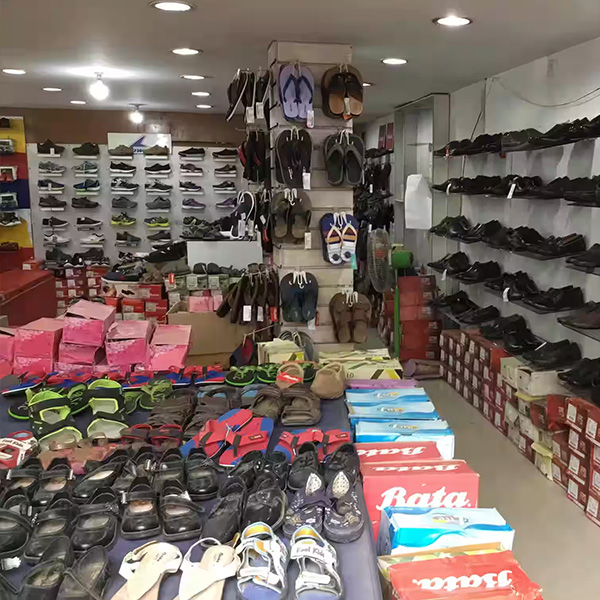
Organise related items by size, colour, style, brand or model while keeping each sellable option clear at checkout.
Learn moreShoe shops need to know the exact size, colour and model available—not merely the total number of pairs. FortyPOS keeps each option visible at checkout and connects sales to purchases, customers, branches and product reports.
One commercial record
Sales, stock, customers, staff and reports connected.
The platform is configured around the products, services, units, prices, users and reports this business actually needs.
Organise related items by size, colour, style, brand or model while keeping each sellable option clear at checkout.
Learn moreStock moves with purchases, sales, returns and adjustments so the owner can review quantities and stock history.
Learn moreSearch or scan items, choose a payment method, complete the sale and issue a digital, A4 or thermal receipt.
Learn moreKeep stock, users and reporting organised across eligible branches and warehouses from one account.
Learn moreKeep customer contacts, sales, payments, balances and statements connected to one account.
Learn moreReview daily sales, product performance, stock, purchases, expenses, balances, profit and end-of-day reports.
Learn moreKeep the process simple for staff while maintaining enough detail for the owner and manager.
Create brands, categories and shoe variants for size, colour and model.
Add the stock received for each sellable option and supplier purchase.
Search or scan the exact shoe option and complete the sale.
Use product sales and low-stock reports to plan the next purchase.
A useful trial should reproduce a real day in the business, not a demonstration catalogue that hides the difficult parts.
List the product categories and the exact size, colour, brand, model or style options that must remain separate in stock.
Use a recent stock count and current supplier balances. Avoid importing estimated quantities that will immediately weaken the reports.
Prepare the customer accounts that need sale history, deposits, credit balances or statements.
Create separate staff users, assign only the required permissions and agree on the reports used to close or hand over each day.
FortyPOS provides sales and variant inventory management. It does not provide online fitting, e-commerce returns or supplier catalogue feeds unless separately implemented.
Yes. Sizes and colours can be configured as variants so their quantities remain distinct.
Yes. Configured barcodes can be scanned or searched during a sale.
Branch and warehouse workflows are available on eligible packages, including stock movement controls.
Yes. Product performance reports can compare sales by product over selected dates.
Yes. Products can have retail and wholesale prices for different customer sales.
Use the trial to confirm that the selling units, pricing, stock and reporting workflow fit your operation before subscribing.