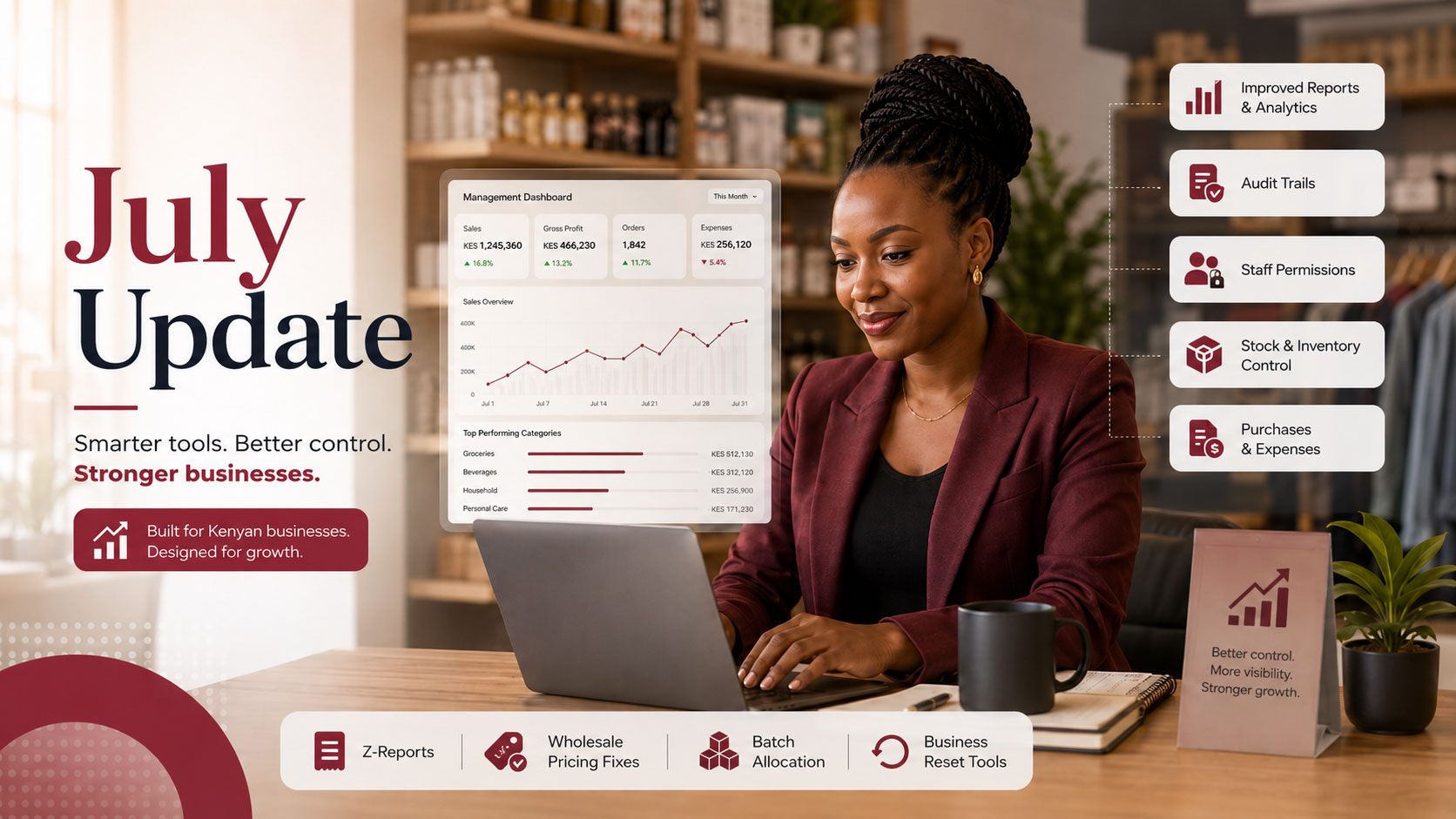
FortyPOS July Update: Better Reports, Audit Trails, Permissions and Business Controls
- Category : Product Update
- For : Retail, Wholesale & Services
- Read : 10 Minutes
The FortyPOS July Update focuses on giving business owners stronger control over sales, stock, reports, staff access, and business records. It brings together improvements across reporting, audit trails, dashboards, permissions, pricing, stock history, batch selling, and account reset workflows.
This update is designed for businesses that need clearer reporting, safer staff permissions, better accountability, and more accurate records across web and mobile. Whether you operate one shop, several branches, a wholesale business, a service business, or a business with complex stock workflows, these improvements help you manage daily operations with more confidence.
The goal of this update is simple: better visibility, better control, and better accountability for every sale, report, product movement, staff action, and business decision.
What is included in the July Update?
This release combines several major improvements that work together. Reports are now more useful, permissions are cleaner, audit trails are easier to review, dashboard access behaves better, and stock movements can be traced more clearly. We also improved pricing behavior, batch allocation, and business data reset tools.
Improved reports
Better sales, product, inventory, purchase, finance, statement, audit, dashboard, and Z-report workflows.
Audit trails
Clearer visibility into important business actions, stock movement history, and user activity.
Permission controls
Expanded permissions for reports, dashboards, audit trails, stock history, exports, and staff access.
Business controls
Safer data reset workflows, cleaner dashboard access, pricing fixes, and improved batch selling.
1. Improved reports across the business
Reports are one of the most important parts of a POS system because they help business owners understand what is happening beyond the counter. The July Update improves how reports are organized, filtered, protected, and exported.
The reporting improvements cover sales reports, product performance, inventory reports, purchase reports, finance and accounting reports, statements, audit reports, Z-reports, and management dashboards. This gives owners and managers a wider view of business activity from one system.
2. Shared filters and better exports
Good reports need good filters. The update improves shared filters so reports can be reviewed by date range, branch, customer, product, staff, warehouse, payment type, category, and other useful business dimensions where applicable.
Exports now respect report filters more consistently. This means when a user filters a report, the exported PDF, Excel, or CSV should match the same report view instead of exporting unrelated data. Export permissions are also handled separately from viewing permissions, giving business owners better control over who can download business records.
3. Sales and product performance reports
Sales reports help owners know how the business is performing each day, while product performance reports show which items are moving, which items are slow, and which products are contributing most to revenue. This update improves the foundation for both web and mobile reporting.
Product-wise sales reports are especially useful for shops with many items, different prices, wholesale customers, batch-controlled stock, variants, measured items, refillables, and services. Better reporting helps owners make decisions on restocking, pricing, promotions, staff accountability, and branch performance.
4. Inventory, purchase and stock history reports
Inventory accuracy is critical for businesses that manage physical stock. The July Update improves how stock movements and stock history can be protected and reviewed. This is important when stock changes through sales, purchases, returns, stock adjustments, batch allocation, product edits, or operational corrections.
Stock history support helps owners trace product movement and understand why stock changed. This improves accountability and reduces the confusion that comes from manual stock records or unexplained differences.
5. Finance, accounting and statement reports
The update also strengthens finance-related reporting. Sales alone do not show the full health of a business. Owners need to understand payments, expenses, purchases, income, balances, customer statements, supplier balances, and daily cash position.
Statement and finance improvements help businesses review money movement more clearly. This is useful for businesses that sell on credit, manage suppliers, track expenses, or need cleaner records for daily reconciliation.
6. Audit trails for stronger accountability
Audit trails help a business answer a simple but important question: who did what, and when? The July Update improves audit trail visibility so important actions can be reviewed more easily by authorized users.
Audit trails are useful when reviewing staff activity, report access, product changes, stock movements, sale corrections, permission-sensitive actions, exports, resets, and other important business events. They help businesses reduce disputes, improve internal controls, and protect operational records.
7. Z-report improvements
The Z-report is important for daily closing and cashier accountability. It helps a business review sales, payments, cash movement, staff activity, and closing figures for a selected period or session.
With the July Update, Z-report access is treated as a dedicated permission area. This helps owners decide which staff members can view or use Z-report information, especially where the report includes sensitive sales and payment totals.
8. Management dashboard improvements
Dashboards give owners and managers a quick view of the business. The update improves management dashboard permission handling so dashboard visibility can be controlled independently from other reports.
On the home area, users who do not have dashboard permission should not be logged out. Instead, dashboard-dependent overview content can be hidden, while the Dashboard tab can show the standard no-permission state. This creates a smoother experience for cashiers and staff who should use the system without seeing management-level data.
9. Better no-permission handling
A major part of the update is improving what users see when they try to access something they are not allowed to use. Instead of showing raw 403 errors or forcing users out of the system, protected report areas now use a cleaner no-permission experience.
This applies to report pages, audit trail details, Z-reports, stock history, dashboards, and export actions. For exports, users without the correct permission should see a clear message explaining that they do not have permission to export the report.
10. Expanded permissions for new and existing features
FortyPOS has grown to include more reports and more business tools, so permissions needed to become more specific. The July Update adds and improves permissions for management dashboards, Z-reports, performance reports, audit trails, stock history, exports, quotations, recurring invoices, merged invoices, stock adjustments, purchase orders, recurring income, and recurring expenses.
This makes staff management safer. Business owners can give cashiers, managers, accountants, salespeople, and branch staff the access they need without exposing every report or business control.
11. Wholesale and dealer pricing improvements
The update also improves how customer-based pricing works. When a wholesale or dealer customer is selected, FortyPOS should apply the correct eligible price instead of always using the retail price.
This pricing improvement covers web and mobile sales workflows, including more complex product situations such as combo products, variants, batches, serial items, measured products, and multi-unit calculations where applicable. It also improves cart repricing when the customer changes during a sale.
12. Better batch allocation for sales
Some businesses sell stock from batches. The update improves multi-batch sale allocation so a sale can draw stock from more than one batch correctly. For example, if a business sells 50 units and the first batch has 32 available, the system can allocate 32 from the first batch and 18 from the next batch.
This helps businesses with batch-controlled stock reduce overselling, avoid wrong stock deductions, and keep inventory movement more accurate.
13. Business data reset tools
The July Update also introduces the foundation for a business data reset workflow. This is designed for businesses that want to clear selected operational data and start fresh without deleting the business account itself.
Reset groups can include sales and invoices, purchases, stock and inventory history, products, customers and suppliers, finance and accounting records, and activity or audit history depending on what the business chooses to reset. The workflow is designed with confirmation controls so owners can avoid accidental resets.
14. Web and mobile consistency
Many of these updates apply across both web and mobile. The goal is to make reports, permissions, dashboard access, no-permission handling, Z-reports, audit trails, product pricing, and stock movement behavior more consistent across the FortyPOS ecosystem.
For mobile users, the reporting direction includes shared filters, report-specific permissions, audit trail visibility, Z-report support, and management dashboard improvements inside the Dashboard area. This helps owners and managers monitor the business even when they are away from the shop.
Why this update matters for business owners
As a business grows, simple sales recording is not enough. Owners need to know what sold, who sold it, which stock changed, which customer received which price, which reports were exported, and which staff members are allowed to see sensitive information.
The FortyPOS July Update improves the control layer of the system. It helps businesses reduce mistakes, protect sensitive reports, improve accountability, support staff roles, and create cleaner records for daily operations.
Key takeaways
- Reports now have stronger filtering, export handling, and permission protection.
- Audit trails and stock history improve accountability for important business actions.
- Users without access see a standard no-permission state instead of raw 403 errors or unexpected logout behavior.
- Dashboard, Z-report, performance report, audit, stock history, and export permissions are more specific.
- Wholesale and dealer pricing, cart repricing, and multi-batch sale allocation are improved.
- Business data reset tools help owners clear selected operational data and start fresh safely.
How FortyPOS helps
FortyPOS helps businesses in Kenya manage sales, products, services, stock, purchases, expenses, customers, suppliers, staff roles, branches, receipts, invoices, Z-reports, audit trails, dashboards, and business reports from one connected platform. The July Update makes the system stronger for businesses that need better control, cleaner records, and more reliable reporting.

Product-reviewed content
Written by the FortyPOS Product & Editorial Team
Our product, implementation and support team reviews feature descriptions against the current FortyPOS workflows. This page was reviewed on 28 July 2026.
This content explains software and operating workflows. It is not a substitute for legal, tax, accounting, medical or regulatory advice.